
Update your password within your Account Settings or use the “Forgot password?” feature at growth.q4intel.com to reset your password.
Follw these steps to update your password.
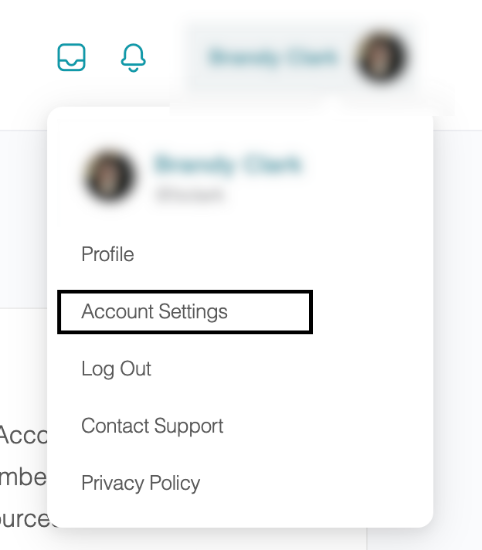
- Hover over your name and profile picture in the upper right corner and click Account Settings to navigate to your login information.
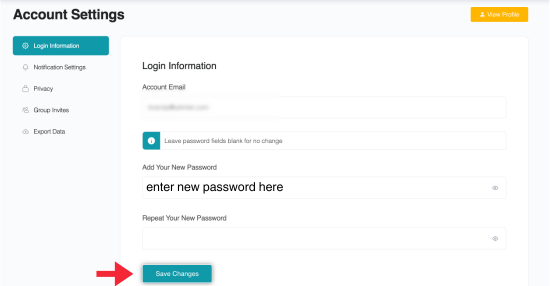
- Enter your new password in the Login Information dialogue box. Click Save Changes.
Follow these steps if you've forgotten your password.
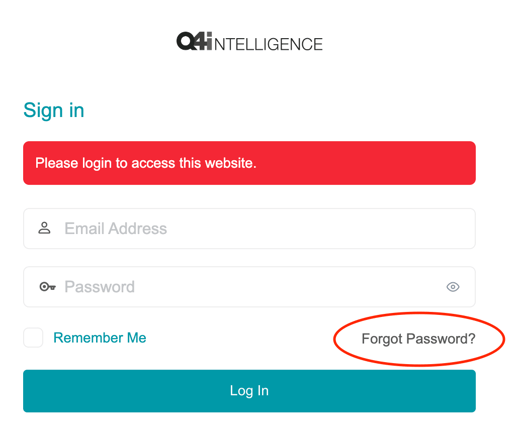
- Reset your password from the login page by clicking Forgot password?
- Fill in your email address.
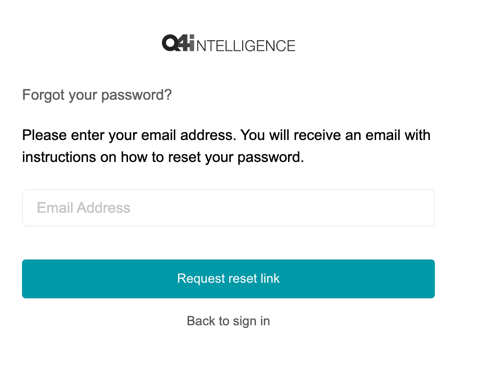
- Click Request reset link and check your email for the confirmation link from Q4intelligence.
💡 Tip: Check your junk mail or spam if you don’t see the confirmation email right away.
- Click the reset link at the bottom of the email.
- Type in your new password or select Generate Password.
- Log in with your new password.
🗒️ Note: If you're still having trouble accessing your password, contact support.